3D Printing RC Sailboats: What I’ve Learnt from Daily Printing
After daily printing for the past few years I have learnt a lot about successfully 3D printing RC yachts. It's really easy now to 3D print RC yachts and is such amazing technology.
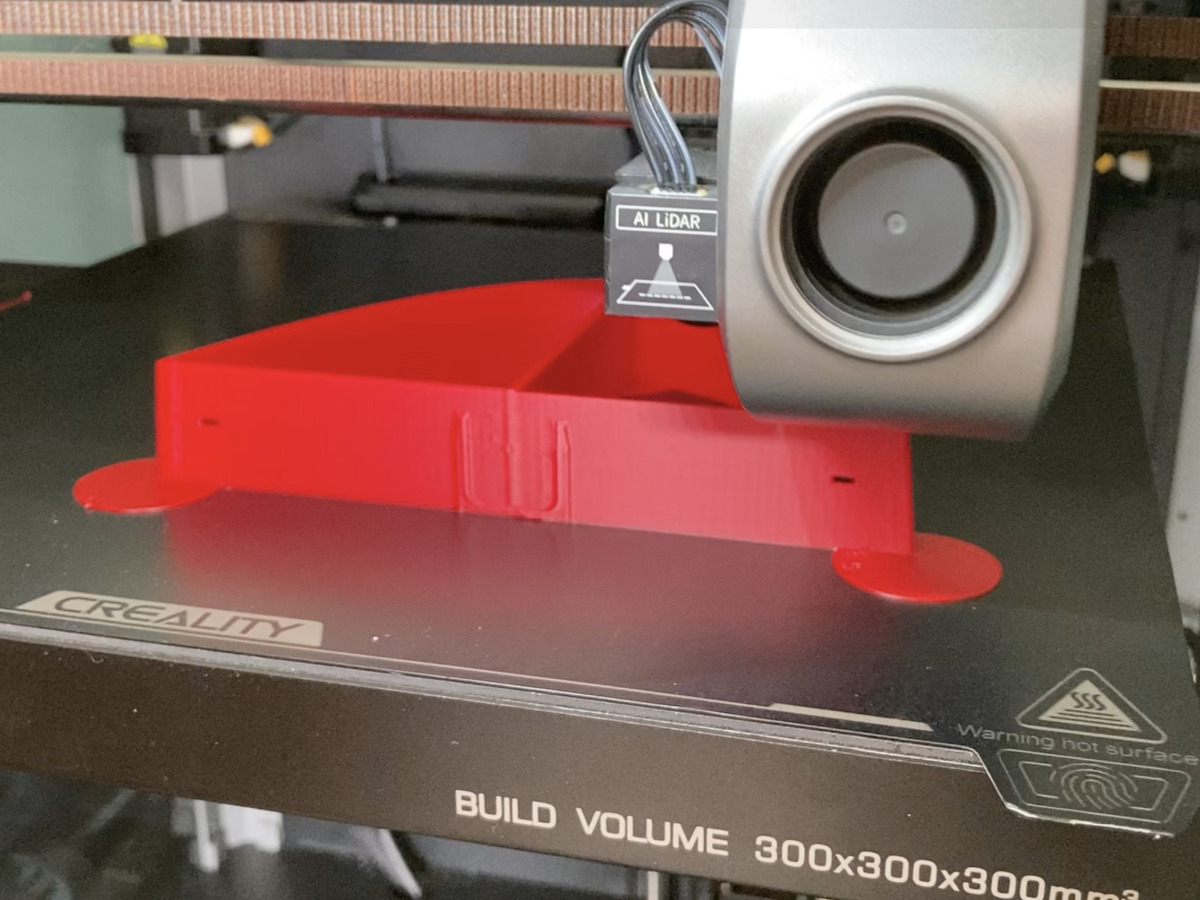
What size build plate?
The most important thing to consider when you're looking for a printer is the maximum size the printer can print a part. This is determined by the build plate volume. The volume is typically referred to in mm with xyz numbers. The xyz referring to the spatial axis of a 3D space.
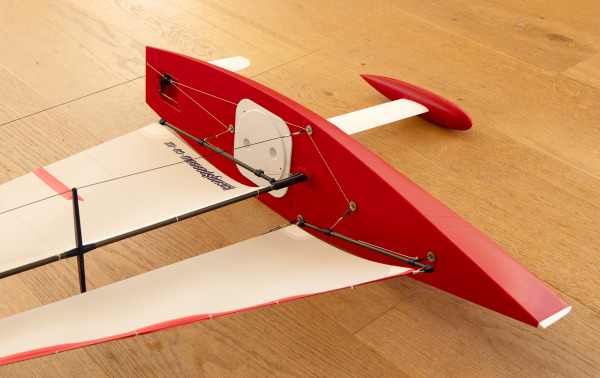
My Creality K1 Max printer for instance has a build volume of 300x300x300mm (xyz). This is quite a large printer. A small printer may have a print volume of 150x150x200mm (xyz).
To print a large Racing Sparrow 1000 you need a minimum print volume of 210x210x245mm (xyz). The RS-RG65 on the other hand has a max volume needed of 150×150×180mm (xyz). The boats we design have all been broken down into parts that fit nicely into printer size categories.
Can you recommend a printer to buy?
As I've already mentioned I use a Creality K1 Max enclosed printer. It has been amazing and has been used daily for 18 months without any major issues. There have been a few user errors on my part but the printer has really been flawless.
If your budget doesn't stretch to something like the K1 Max then something like the Bambu Lab A1 is very wallet friendly and the build plate just big enough to print our RS-RG65 model. Other printers that customers of ours are using are the Bambu Lab P2S or the higher end Bambu Labs H2D.
Do I need an enclosed printer?
The short answer here is no, you don't need an enclosed printer; especially if you intend to print mostly PLA+ which is what we print our boats with.
But this does depend on where you intend to use your printer and whether or not it will be in a drafty space like a garage or a spare room where the temperatures are stable.
I find my printer being in the garage and enclosed really helps the stability of the printing temperatures. Having stable conditions where temperature fluctuations are minimised really helps each part stick to the build plate and not warp and also helps with overall print quality.
I have noticed if I open the door of my K1 Max during a print there will be a subtle but obvious line in the print at that time in the printing. I really thought at first I was overthinking this but I've noticed this now a number of times. Subsequently I now never open the door while printing a part unless I absolutely have to.
Where should I put the printer?
The print quality is directly related to the sturdiness of the platform you sit the printer on. The most sturdy place is going to be a concrete floor. But this is not going to be practical bending down to set up a print so a really sturdy bench top is what most people use.
I know the K1 Max printer I have is aware of printer wobble and takes this into consideration whilst printing. The thing really moves about while it furiously goes to work. Most printers generally come with rubber feet to help dampen the vibrations.
What filament is best to use for boats?
We use PLA+ filament spools which we have found to be a really great all-round filament to use for this purpose. Initially we started with standard PLA but its big brother PLA+ is far less brittle and seems to be able to handle higher temperatures without warping.
There are other filament types which you can also use like ASA which has higher heat resistance but is more difficult to print well. I know people also use PETG with varying degrees of success. You will hear people argue that PLA is not heat resistant enough and the boat will melt etc etc.
We have found that the big brother PLA+ is really pretty darn good all-round. I've purposely left old prototype boats in the sun and car to see what happens but I have not seen any deformations or breakdown. I think if you treat your boats like you would your pet dog then you should not have any issues with PLA+.
What size nozzle do I use?
We use a standard nozzle size of 0.4mm. This is simply what comes with most printers off the shelf. I know other builders prefer to print with 0.8mm nozzles but at Racing Sparrow our ethos is all about common parts and common tools so we just run with the default 0.4mm nozzles. Our models are CAD designed with this in mind.
How long does it take to print a boat?
The total time varies depending on a few variables but I find with my printer running at a speed of around 200-300mm/s that I can print an RS760 in around 24 hours. This includes the time it takes to pop off a part and prep the printer for the next piece. This 24 hours of printing is not non-stop by the way.
I don't print at night time as I've found you really need to keep an eye on the printer in case something happens. We had an intermittent power cut one day that caused some strange spaghetti as an example.
Do I need to print in vase mode?
We don't design our boats to print in vase mode. In doing my usual research and keeping up to date with other designers it seems that vase mode was something people needed to do to get the desired print quality. Printers now are so good that standard printing mode is just as good and far more flexible in the way you design the parts.
Do I need to sand the boat smooth?
The short answer is no. You do not need to sand or fair the boat once you've glued the hull together.
Some people do sand, prime and paint their boats to have a more professional finish but it makes very little difference to the speed of the boat whilst sailing. If the boats were foiling and sailing at very high speeds then yes a smoother hull would help but a displacement hull at RC scale is going very slowly through the water.
Think of the boat as more pushing the water out of the way than slipping through it. Other designers have done A/B tests and could not tell any difference between the plain printed finish and a smooth painted finish. The weight of the filler and paint would likely offset any gain made in this area.
Do you need to waterproof or spray the hull?
We have found that the raw printed hull seems to not take on any water when sailing for 1 hour slots down at the marina in salt water. However it probably does not hurt to spray the outside of the hull with a coating of varnish or sealant. If I was to do this I would highly recommend testing on a scrap print to make sure the chemicals don't melt the PLA.
We find that if the build of the boat has been done well with tight joins and plenty of glue then the boats are dry inside after sailing.
Pre-heating the machine is really important
Before you do your first print of the day some good advice is to pre-heat the printer for 20 minutes first. Turn on the printer, set the build plate temp to 65°C and let the whole machine warm up. You may feel the plate is warm enough after a few minutes but put your hand on surrounding parts and they will still feel cold.
It takes time for the whole machine to soak up some heat and become stable. As I mentioned earlier, temperature stability is a key ingredient to having successful print results.
Printing in winter is more difficult
Further to the above paragraph about pre-heating I have found that printing in the middle of winter is more challenging than in summer months. I have my printer in my garage. A cold day here in Nelson New Zealand will be 1°C. I have found that in the garage that a 1°C day is hard to print well. I have found that longer pre-heating does help with this or simply wait for a slightly warmer day where it might be more around 7-10°C or thereabouts.
As my printer has an enclosure I feel I have some control over the ambient temperature around the printed parts. The printer seems to do its best work when the chamber is sitting between 30-35°C.
Getting a good first layer is key
When you start a print I have found that if the first few layers look a little scruffy then it's best to stop, clean the plate and nozzle and start again until the first layer is looking clean and proper. The first few layers are the foundation the rest is built on so it makes perfect sense that it will affect the rest of the print.
If you leave that scruffy first layer to print you are more likely to have lifting edges or ill-fitting parts. I do find some filaments are more problematic than others and some tweaking is often needed to get that first layer to behave. I find sometimes the machine needs a calibration. The other trick is to rotate the part around the z-axis in the slicer so the print placement on the plate changes. This often can fix issues where the first layer is misbehaving because the starting point has moved to a different part of the plate.
Print settings - slicer defaults are often great
Over the past 18 months I have been printing almost every day. Through this time I have tried all kinds of things to improve my print quality. I've even gone as far as to give my print settings file to ChatGPT to help improve. What I have found after all this time is I have come full circle and now simply use the default print settings that Creality Print provides. I find all I need to adjust is the print infill amount and some subtle temperature changes and it prints really well. The main thing is again the temperature not fluctuating by leaving the door shut and pre-heating the machine before I start.
I have found with eSun PLA+ that my fast print settings with 200°C nozzle temp and 60°C plate temp is a great starting point. Read the next part about filament colours!
Different colour filaments behave differently
I buy my filament mainly from one place in New Zealand; Bits4Bots.co.nz. I only use quality eSun PLA+ filament. Don't change something that ain't broke, right! What I have noticed is that the exact same filament which comes in a variety of colours actually behaves quite differently when I'm printing. There is no difference other than the colour choice. The red and greens for instance seem to print really quite easily and flow nicely. The end result of the red colour is particularly good with barely visible layer lines. The gold yellow has been the best overall quality while the cold white has been the hardest one to print well.
Over time I've built up some slightly different print profiles for the different colours. The differences are usually just some temperature changes or perhaps the flow rate needs a slight adjustment. I don't know the technical reason why this would be but this has been my observation when printing daily.
Lifting edges - brims, mouse ears, fan settings
One of the challenges when printing some of the larger parts for say the RS1000 boat has been the corners lifting off the build plate.
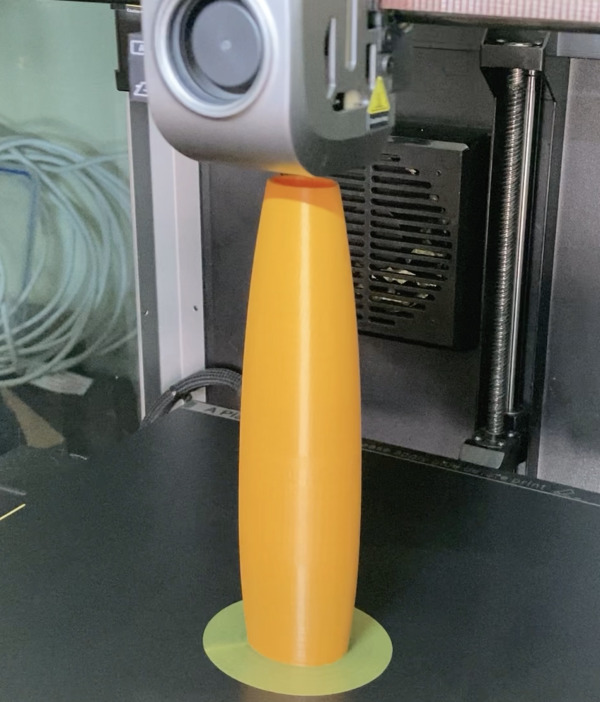
The result of this is misaligned parts and gappy joins in the hull. Initially this was a real nuisance when I was designing the boats and printing lots of prototype boats. The shapes will print really easily like say the servo cassettes or the keel bulbs which seem to be quite easy to get printing well.
The hull pieces of the large boats have sharp corners with thin edges. These are problem areas I noticed when I first started printing. The hull parts have very thin edges touching the build plate.
There is not a lot of meat sticking the part to the plate. I have found sometimes just printing with simple brims is enough to help. For real problem parts I found the silver bullet solution was to use mouse ears. These are small thin disk STL parts which you place at the corners in the slicer software. They create a large contact area for the corners and really help prevent the nasty warping I was experiencing. The mouse ears come as part of the tools in all my STL sets.
Another good piece of advice is to turn off your cooling fans inside the enclosure. The K1 Max has a number of fans. I found the side fan was causing the closest edge to lift. Turning the side fan off completely was a major milestone in improving my lifting edge issue.
You don’t need a filament dryer
When you get into 3D printing you will naturally start to peel back the layers which often leads to more gadgets, better techniques and ultimately more spending. I started reading about filament soaking up moisture and degrading the print quality. I ended up buying a filament dryer as I thought I really needed one.
What I have found is that it has made very little difference to be honest. It potentially makes a small difference to print quality but this may also just be a placebo effect. Sometimes I'll use the filament dryer on cold days but really this is just to pre-heat the filament a little bit to get better temperature regulation like I have mentioned earlier in this post.
My opinion is that you don't really need a filament dryer for PLA+ and that simply storing them in a bag with the little white moisture wicking pack is fine.
Clean the plate with ISO only if finger marks are showing
In order for your prints to adhere to the build plate I have found you really don't need to do anything special with glue sticks or hairsprays or any other adhesive. The most important aspects are the build plate temperature and the build plate cleanliness. I find at 60°C and the plate nice and clean I have no issues with parts sticking to the build plate. Sometimes I can see fingerprint marks where my greasy fingers must have been. I simply pop the plate out of the machine and spray lightly with Isopropyl Alcohol and then wipe with a clean cloth.
Some people also clean their plate with soapy water but I find ISO is really quick and simple and is ready to print almost immediately. No drying or waiting needed between prints. I used to do this between every print but lately have noticed I don't even need to do that if I haven't touched the plate. If I'm really careful not to touch the plate when popping parts off then I can skip this step between prints, re-heat the plate to 60°C and tee-up the next part for printing.
In conclusion
The bottom line is that a decent FDM printer with a spool of PLA+ doesn’t require a full workshop of accessories or expert knowledge to use. Modern printers have come a long way in the past 5 years and they really are user friendly and fun to use.
What are you waiting for? Get amongst it!